Stability AI has just opened up SD3, the third generation iteration of its popular Stable Diffusion text-to-image generator, to software developers. The announcement of the SD3 application programming interface (API) comes after the initial unveiling of the model in February 2024, which marked a significant leap in AI-generated imagery.
SD3 is the successor to SDXL, continuing a lineage that includes the highly popular SD 1.5 and the highly unpopular SD 2. Unlike its predecessors, SD3 users cannot download the weights to run the models locally or fine-tune them.
The new model represents a shift in Stability AI’s approach—at least at launch. However, the firm has said the source material could be made available later.
“In keeping with our commitment to open generative AI, we aim to make the model weights available for self-hosting with a Stability AI Membership in the near future,” the company said in an announcement earlier today.
Stability AI announced its membership model long before SD3. Non-commercial use is available, but users looking to profit from the model must pay $20—provided their annual revenue is less than $1M. For those earning more, an enterprise version is available with custom pricing.
Today, we are pleased to announce the availability of Stable Diffusion 3 and Stable Diffusion 3 Turbo on the Stability AI Developer Platform API.
We have partnered with @FireworksAI_HQ , the fastest and most reliable API platform in the market, to deliver these models.
In… pic.twitter.com/4q4wUf870Q
— Stability AI (@StabilityAI) April 17, 2024
The SD3 way
SD3’s architecture is built upon the Diffusion Transformer, using two separate sets of weights for text and image embeddings. This approach allows both segments to run in their own space while considering the other, resulting in improved image generation.
The Stability AI upgrade boosts its competitive stance against MidJourney and Dall-E 3, if not current industry darling Ideogram. The real potential of SD3 will come when the community is able to fine-tune and adapt it to different needs—for example, manga, hyper-realism, and cinematic styles.
Stability’s growing push toward a membership model is also a shift in approach, providing an additional revenue stream. It’s unclear if SD3 will be available for non-commercial members. The company did not respond to a request for comment from Decrypt.
Stability AI has separately launched alternative AI image generator models like Stable Cascade (based on the Wurschten architecture) and Deepfloyd IF, along with versions tailored for fast rendering times, such as Turbo and LCM models.
How to Run SD3 Via API
Decrypt put the new model to the test, and reached at least one definitive conclusion: It’s a challenge to use for anyone without at least some coding knowledge. Also, Stability AI’s tutorials suck.
That’s why we’re providing simplified instructions courtesy of DKRacingFan from the MattVidPro AI Discord Server, who helped us understand what we were doing.
The first thing to note is that running SD3 via API requires API credits, which means you’ll need to pay. However, you’ll receive free credits when you sign up for Stability’s Membership programs.
To start, head over to https://platform.stability.ai and either log in with your Google Account or sign up if you’re a new user. Then, proceed to https://dreamstudio.ai and create an account using the same email. Once you’re done, you’ll see free credits in your account, and you can purchase more.
Next, go to https://platform.stability.ai/account/keys and copy your API keys. You don’t need to view them, just click the copy button. Remember, like your crypto seed phrases, never share your API keys, or else your credits could be drained—or your account could be used to perform prohibited functions.
Next, you’ll need to install Python. This could take a few minutes.
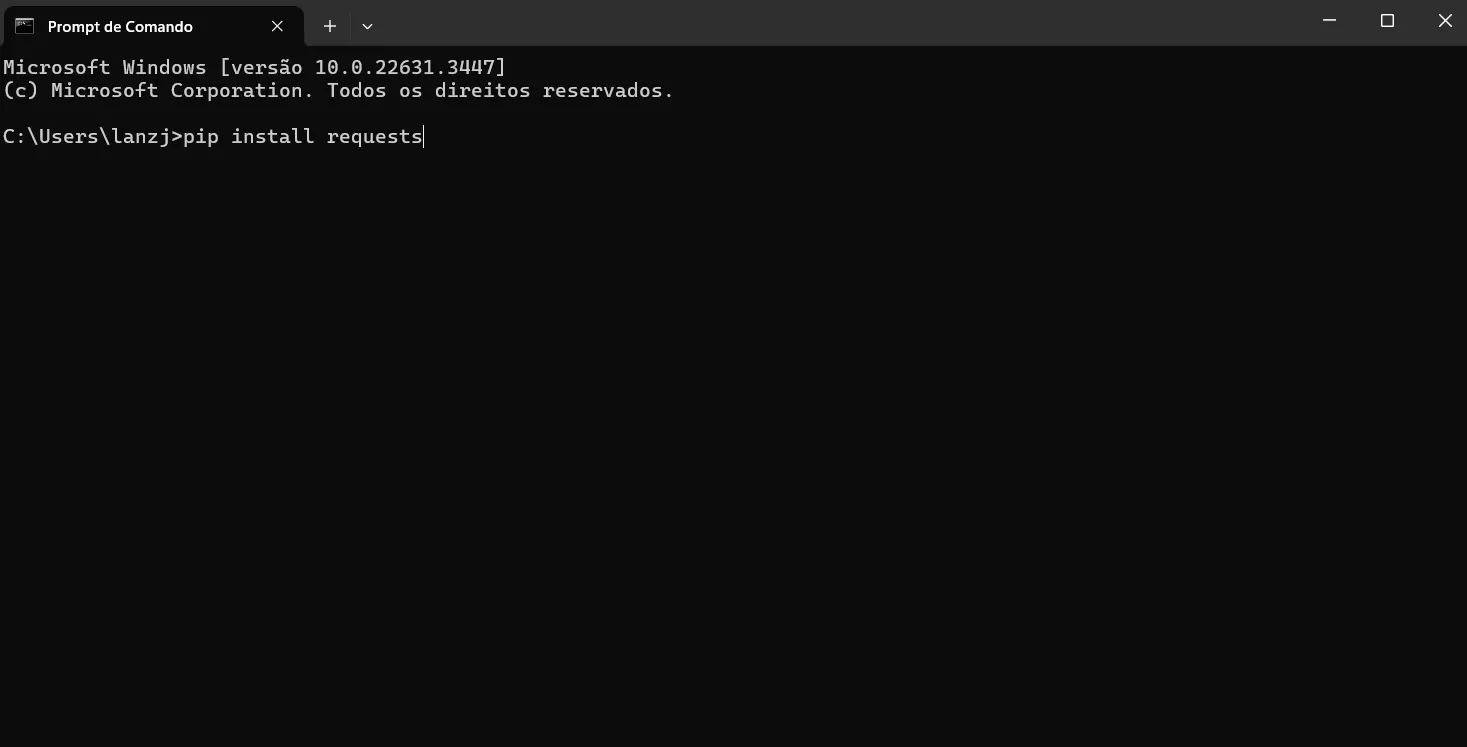
After Python is installed, open your command prompt (search for ‘cmd’ in your Windows search bar) and type the following command:
pip install requests
Next, you’ll need to install Microsoft Visual Studio 2022 if it’s not installed on your computer by default.
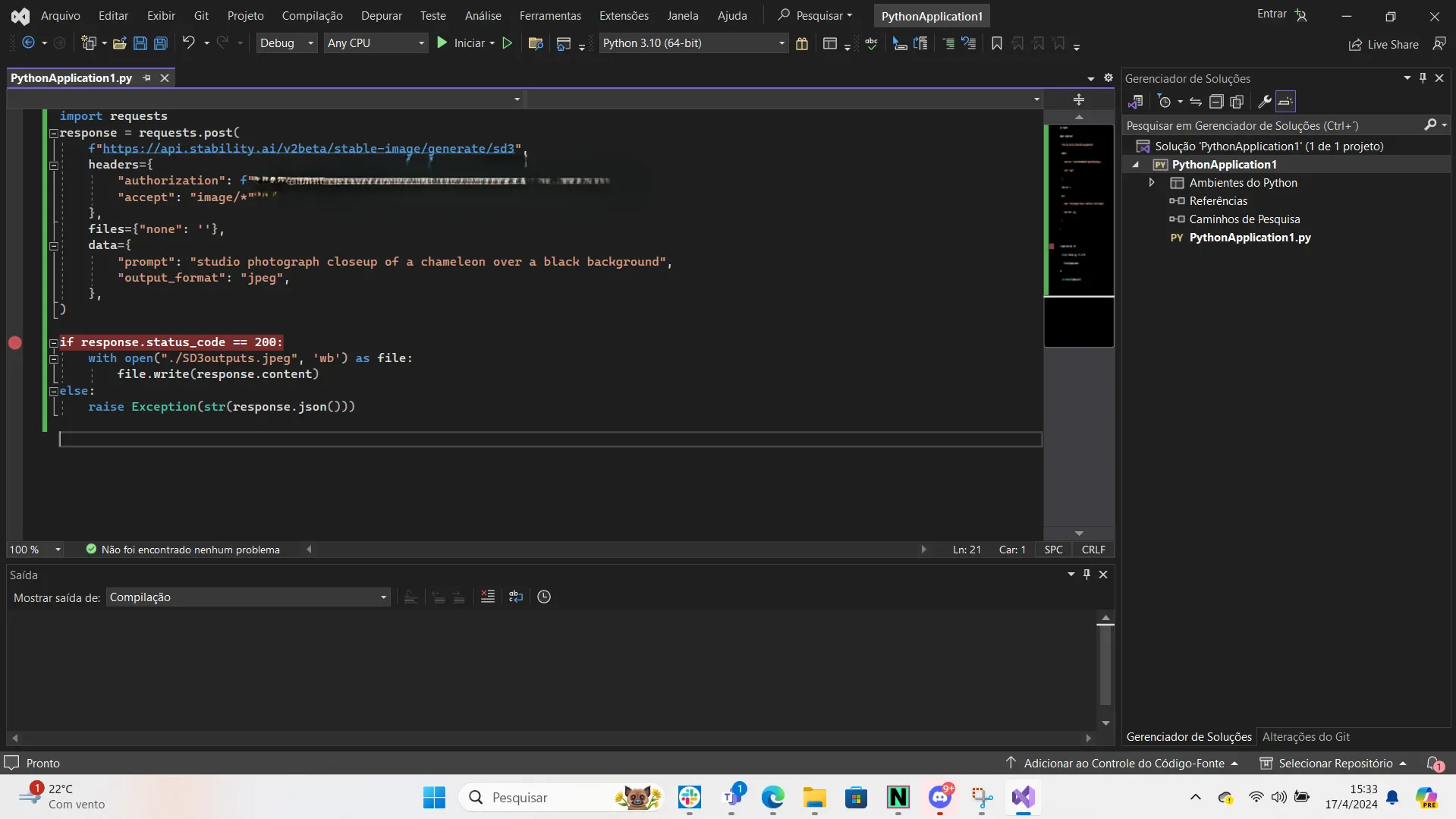
Once that’s done, copy and paste the following into Notepad, Google Docs, or any word processor to create a text file:
import requests
response = requests.post(
f”https://api.stability.ai/v2beta/stable-image/generate/sd3″,
headers={
“authorization”: f”PUT YOUR API KEYS HERE”,
“accept”: “image/*”
},
files={“none”: ”},
data={
“prompt”: “YOUR PROMPT HERE”,
“model”: “sd3”,
“aspect_ratio”: “16:9”
},
)
if response.status_code == 200:
with open(“./SD3Output.jpeg”, ‘wb’) as file:
file.write(response.content)
else:
raise Exception(str(response.json()))
Now, retrieve the API keys you saved earlier and paste them where it says ‘PUT YOUR API KEYS HERE’ in the text file.
Next, select all the text in the file and copy it. Open Visual Studio and start a new Python project by navigating to File -> New -> Project -> Python App. Paste the copied text into the left blank field.
Replace the text that says ‘YOUR PROMPT HERE’ with whatever you’d like to generate. Then, click the small ‘Play’ button on the menu to execute the code (or press Ctrl+F5).
A new command prompt will appear. Wait until it indicates that you can click anywhere to quit. Once you do that, your image will be generated and will appear in the location where you installed your new project. By default, this is:
The SEC crypto custody rewrite for investment advisers and funds, including their crypto assets, entered White House review on Aug. 25. The move starts an active pre-publication review...
Bitcoin is trading between $80,000 and $78,000, and faces two option strikes that could shape dealer hedging into Friday.Reported call exposure at $75,000 and $80,000 creates a test...
Trusted Editorial content, reviewed by leading industry experts and seasoned editors. Ad Disclosure The TON Foundation has confirmed that its legacy bridge will be permanently decommissioned on September...
Crypto miner Sphere 3D said it could face approximately $2.2 million in supplemental US tariffs, before interest, on Bitcoin miners purchased in 2022 by a subsidiary it now...
Trusted Editorial content, reviewed by leading industry experts and seasoned editors. Ad Disclosure TAC, a Cosmos-based EVM sidechain connected to the TON ecosystem, has halted block production after...